STEP 1 · EMPLOYEE
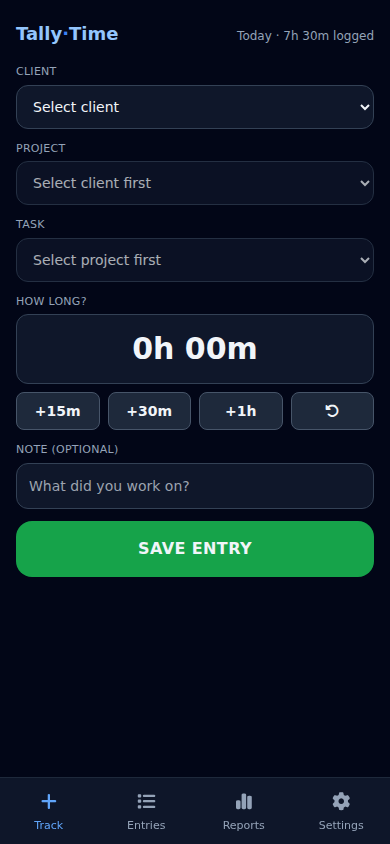
Log time in seconds
Pick the client, project and task, tap a quick amount, save. No training, no spreadsheets — built to use on a phone between jobs.
STEP 2 · EMPLOYEE
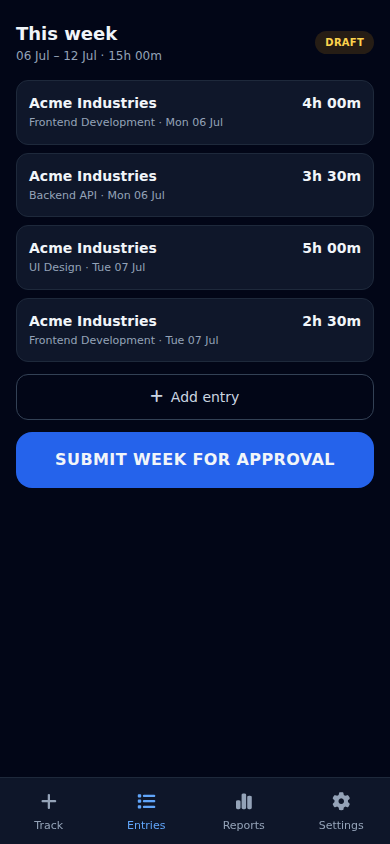
Submit the week for approval
The week adds up as they go. One tap sends it to their manager — and it locks, so the numbers can be trusted.
STEP 3 · MANAGER
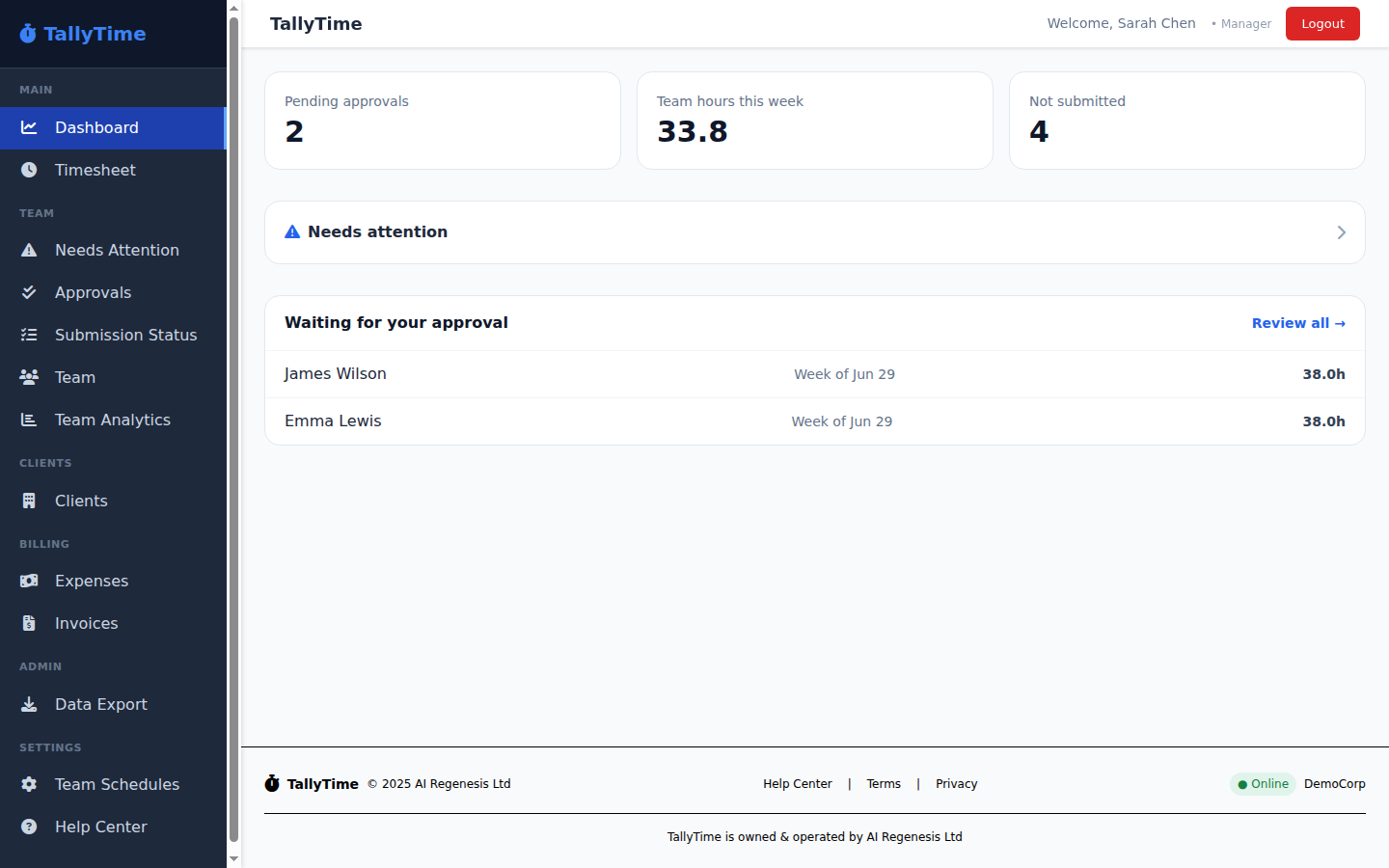
See what needs your attention, at a glance
Pending approvals, team hours this week, and who hasn't submitted — the manager's home screen answers "what do I need to do?" immediately.
STEP 4 · MANAGER
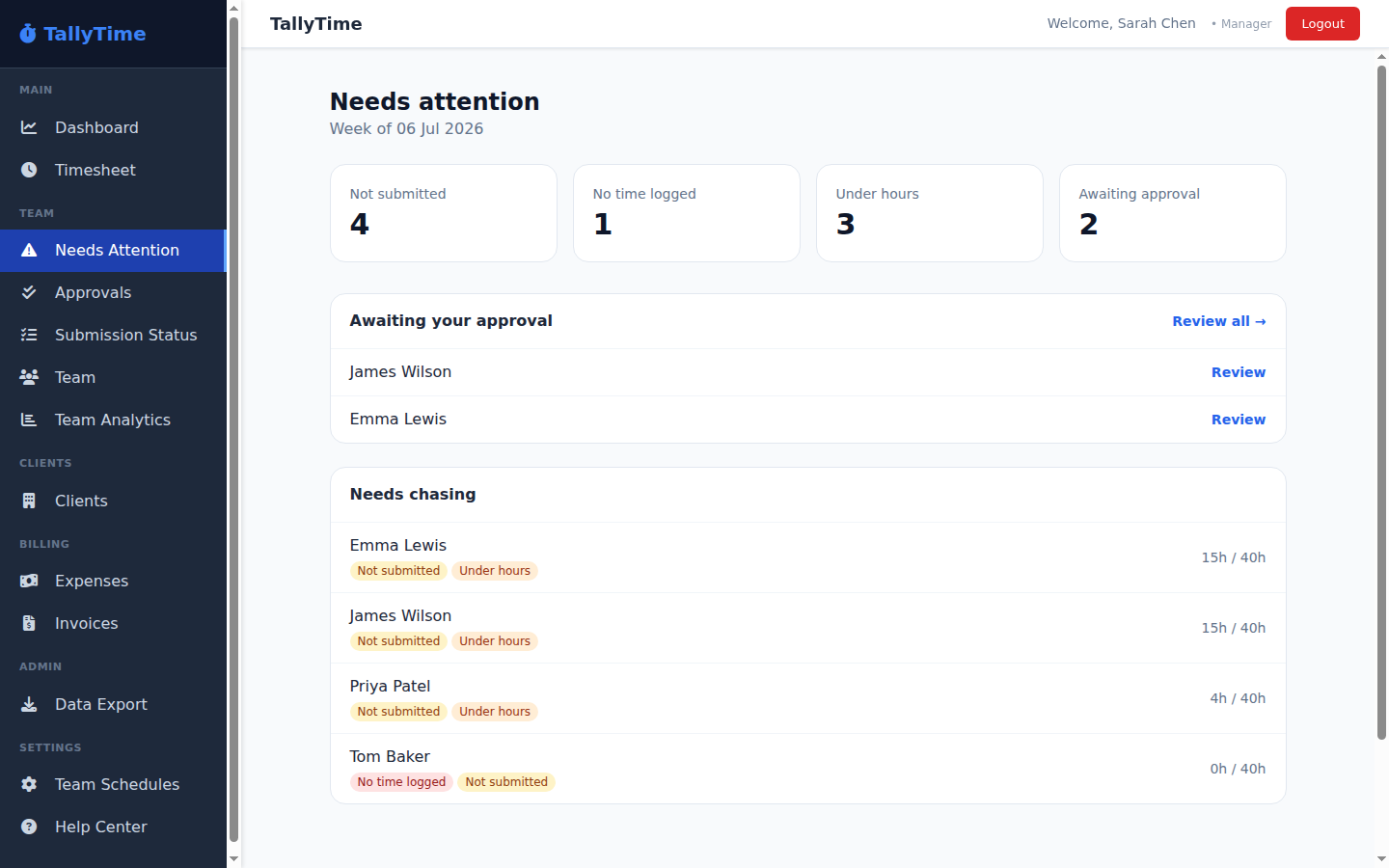
Chase the gaps before they're a problem
An exceptions-first view: who's not submitted, who's under hours, who logged nothing — so you fix the few, not check the many.
STEP 5 · MANAGER
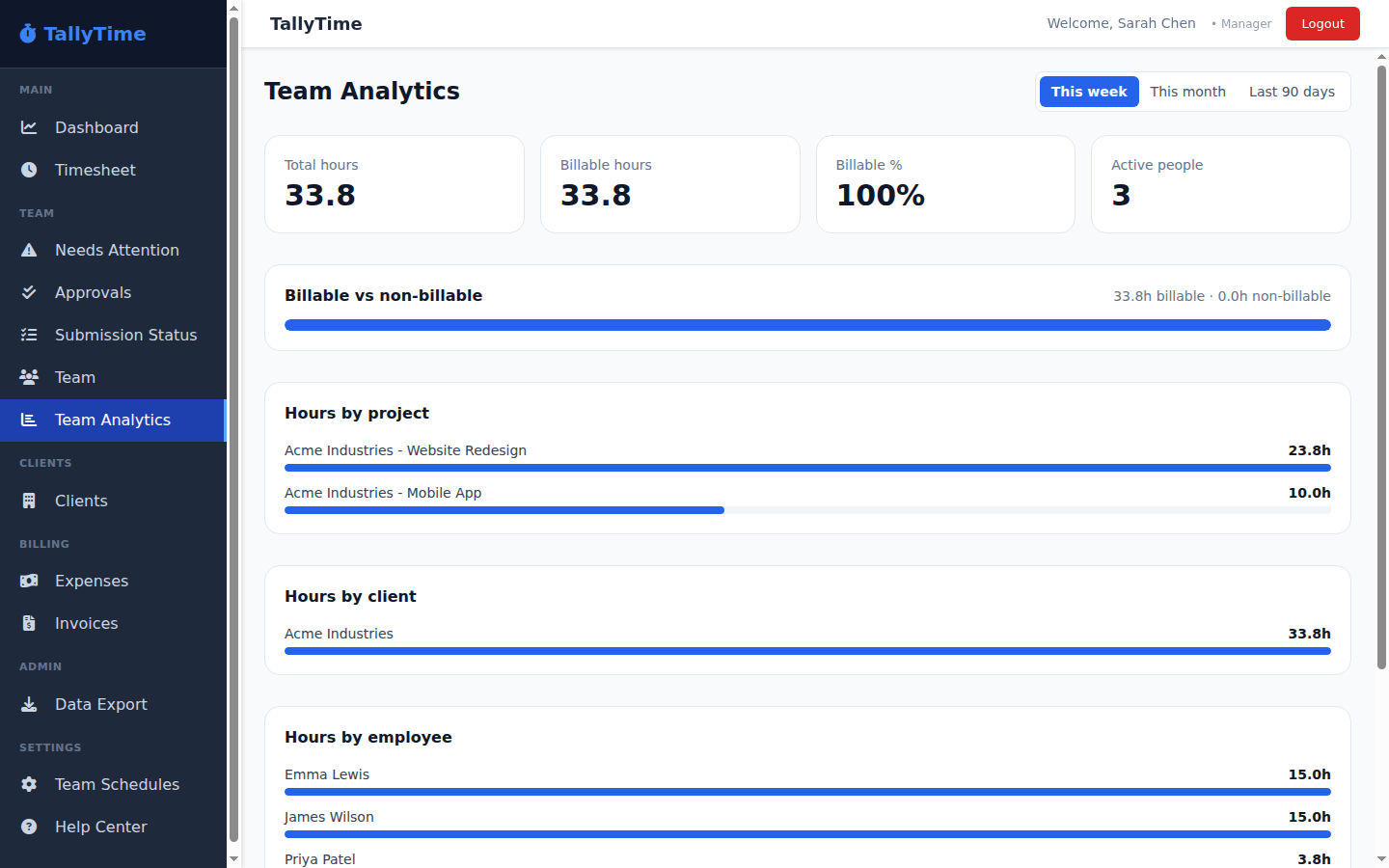
Instant reports — by project, client, person
Billable vs non-billable, hours by project, client and employee, for the week, month or last 90 days. Export when you need it.